› Beginner guide · families
From the box to a part you can hold.
A free beginner’s guide for families: set up a Bambu Lab P1S, choose a model, pick a PLA spool, print, maintain the machine, and replace the parts that wear out. Ages 8–16 with a grown-up.
Store and wiki figures checked 19 October 2026. This page will grow. It currently follows one printer, the Bambu Lab P1S.
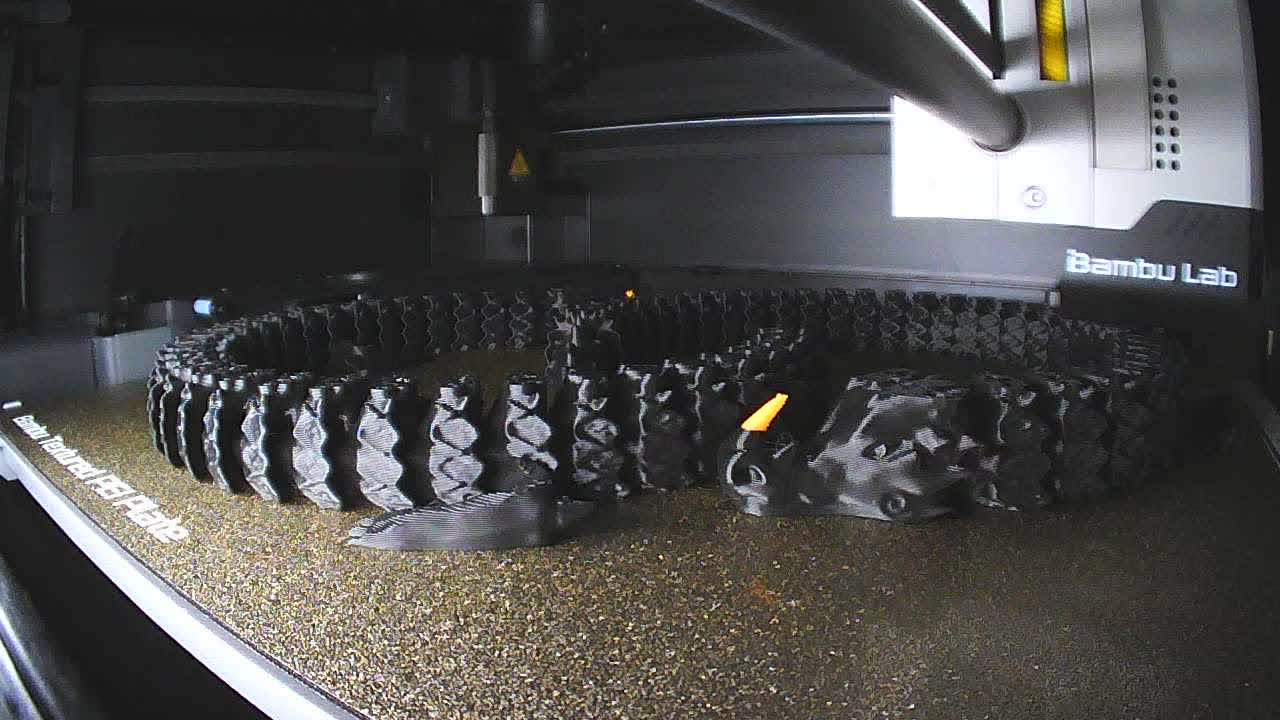
Bambu Lab makes the P1S. Hi, Bot does not make it, sell it, service it, or earn a commission if you buy one. This is a learning guide. The illustrated steps live on Bambu Lab’s wiki. Prices and box contents change; the store page you open today is the one that counts.
Fit-check sizes an X1 or P1S part against a 238 × 228 × 250 mm usable box. The product page lists a 256 mm cube. Both numbers are in the guide below.
Pick a spool
A spool is the roll of plastic. Move the sliders and the answer updates. This picks from the Bambu Lab rolls on this page. It is a learning tool for a P1S, not a lab test.
Your spool
PLA Basic
The first roll teaches the printer. Fancy plastic can wait until a plain part has finished.
Start here
This page is the long version of getting a first plastic part out of a Bambu Lab P1S. It walks one enclosed printer from the box, through a first print, to the habits that keep it printing: models, PLA filament, tips, maintenance, and the parts you will eventually replace.
A kid can pick the model and watch the camera. A grown-up handles the hot nozzle, the hot bed, the screws that ship in the box, and anything inside the toolhead. The nozzle can reach 300 °C. The bed can reach 100 °C.
More printers and materials will land on this route later. The P1S is the whole guide for now, because one machine taught carefully beats a catalog of machines named once.
The printer
The P1S is an enclosed CoreXY printer. The store lists it at $579 on 19 October 2026. Combo prices were not on that same product block, so this guide does not quote them. Open the P1S product page before you buy.
- P1S. The printer, a textured PEI plate, a stainless-steel 0.4 mm hotend, and a small spool of Bambu PLA. The store’s “what’s in the box” line includes that spool.
- P1S AMS Combo. Adds an AMS so the printer can switch filaments. The wiki’s combo unboxing is a different checklist from the printer-only one.
- P1S AMS 2 Pro Combo. The store recommends this over the older AMS combo because the AMS 2 Pro dries filament while it holds it. The store also says the sample PLA spool is not in this combo.
You do not need an AMS to learn. One spool on the holder is the right first month. Buy the AMS when you are bored of one color, not before the first successful print.
Numbers worth memorizing
These are the product-page figures, read on 19 October 2026. A brochure cube is not the same as the volume a slicer will use.
P1S figures from the US product page
Build volume
Figure. 256 × 256 × 256 mm
Default height in Bambu Studio
Figure. 250 mm, so the nozzle stays clear of the bed hardware
Hotend
Figure. All-metal. 0.4 mm stainless steel included. 0.2, 0.6, and 0.8 mm are optional
Hottest nozzle / bed
Figure. 300 °C / 100 °C
Fastest toolhead
Figure. 500 mm/s, up to 20 m/s² acceleration
Camera
Figure. 1280 × 720 at 0.5 frames per second. Timelapse is supported
Runout sensor
Figure. Yes. The printer can pause when the spool ends
Body
Figure. 389 × 389 × 458 mm. About 12.95 kg without packaging
Power
Figure. 100–240 VAC. About 350 W on 110 V, about 1000 W on 220 V
Store badges
Figure. 30-day returns and a 2-year warranty, as listed on the product page
| What | Figure |
|---|---|
| Build volume | 256 × 256 × 256 mm |
| Default height in Bambu Studio | 250 mm, so the nozzle stays clear of the bed hardware |
| Hotend | All-metal. 0.4 mm stainless steel included. 0.2, 0.6, and 0.8 mm are optional |
| Hottest nozzle / bed | 300 °C / 100 °C |
| Fastest toolhead | 500 mm/s, up to 20 m/s² acceleration |
| Camera | 1280 × 720 at 0.5 frames per second. Timelapse is supported |
| Runout sensor | Yes. The printer can pause when the spool ends |
| Body | 389 × 389 × 458 mm. About 12.95 kg without packaging |
| Power | 100–240 VAC. About 350 W on 110 V, about 1000 W on 220 V |
| Store badges | 30-day returns and a 2-year warranty, as listed on the product page |
Hi, Bot’s Fit-check Engine sizes a simple part against a smaller usable box than 256 mm on a side. The filament cutter and the slicer’s safety margin eat the edges. If Fit-check says a part fits, it fits that smaller box. If the product page says 256 mm, that is the mechanical volume, not a promise every model can use the last millimeter.
What arrives
The store’s short list is the printer, a stainless-steel hotend with nozzle, a build plate, PLA on a spool (not in the AMS 2 Pro Combo), an unclogging pin, a power cable, and an accessory box. The wiki accessory page is the longer list, and it says the list changes. Read the paper quick start in your box if the two disagree.
- Screen, spool holder, and the screws for them.
- Textured PEI plate, already on the bed.
- A spare 0.4 mm stainless hotend, nozzle-wiping pads, a spare PTFE tube, a scraper blade, and hex keys.
- A small tube of lubricant grease for the lead screws, and thermal grease for hotend work later. Do not put either on the carbon rods.
- About 250 g of PLA. Color is whatever they packed. A 32 GB microSD card is already in the printer.
Setup
The store says unboxing to a first print can take about 15 minutes. The wiki is still a real checklist, with photos. Use Unboxing P1S or Unboxing the combo, matching the box you bought. The steps below are the order, not a substitute for those photos.
- Put it on a sturdy table. The bare printer is about 13 kg. Leave room behind it: melted plastic dumps out a chute on the back, and that chute needs a bin.
- Lift it out by the handles, cut the two zip ties on the toolhead, and peel the tape and foam. Read the quick start that ships in the lid before you keep going.
- Plug the screen in the orientation the wiki shows, and pop it into the slot. Remove the three screws that lock the bed. Mount the spool holder in the holes on the back.
- A grown-up plugs in power and runs the on-screen self-test. The nozzle and the bed heat up during that test. Stay in the room.
- When the self-test finishes, remove the foam under the heatbed. Leaving it there wrecks the first move of the bed.
- Set the filament carton, or any small box, under the purge chute. You can print a bin later. Search MakerWorld for a P1S purge container once a first print has succeeded.
- Load the included PLA into the PTFE tube at the back until the extruder takes it. On a combo, seat the AMS, connect the tubes and cables the wiki names, put the desiccant back inside the AMS, and load spools there instead.
The first print
Print a model that is already on the printer, with the PLA that came in the box, on the textured PEI plate. That is the whole first job. Downloaded models come after one part has stuck, finished, and come off a cool bed.
- Pick the Bambu PLA preset if the screen or Bambu Studio asks. The preset already chooses temperature, fan, and plate. Changing those before you have a failed print is how a working machine looks broken.
- Watch the first layer. A good one is a flat ribbon stuck to the plate. A bad one is a loose strand the nozzle is dragging around. Stop the print. Do not scrape a hot plate.
- Let the bed cool before the part comes off. The scraper is a blade. The wiki says to print the scraper handle from the built-in files and put the blade in that handle. Push away from your hand.
- If the next print will not stick, wash the plate with warm water and dish soap, then dry it. Finger oil is the usual cause. Do not sand the texture off to “clean” it.
Models
MakerWorld is Bambu Lab’s model library. Start on Bambu Lab’s own page before you wander the rest of the site. Those listings are the printer maker’s models. A useful listing has a print profile, not just a pretty photo. The profile names the printer, the plate, and the filament. Prefer a profile that says P1S.
That same page also posts models for the A1 and the A1 mini. Those printers are a different size. A profile that names only the A1 mini is the wrong job for a P1S.
- First downloads: one color, no support, smaller than a deck of cards. A name plate, a hook, a small box. Skip articulated dragons until five plain parts have finished.
- Read supports, brim, and plate type before you hit print. A profile written for a Cool Plate will misbehave on the textured PEI plate that shipped with the printer.
- In Bambu Studio, Add or drag in an STL or 3MF. If Studio asks about a 3MF, you can import geometry only when you did not mean to load someone else’s temperatures and printer choice.
- Multi-color needs an AMS. Every color change purges plastic into the chute. A four-color keychain can waste more plastic than the keychain weighs. That is normal. It is also a reason to wait.
- Check size with the Fit-check Engine before you download a big box or a plate. Fit-check does not slice and does not send a job to the printer.
Four projects on Bambu Lab’s page come after those plain parts. Each one needs a hardware kit from the US store. The kit is the electronics and the small parts. It does not include the printed plastic. Print the model, then a grown-up assembles the kit.
- LED Lamp 001. Two lamp styles, or a short base-only profile. The listing asks for PLA Basic Jade White so light can glow through the shade. The LED lamp kit is the light and two screws. A grown-up powers it from USB.
- Wireless Mouse 002. A hollow shell in two pieces. The listing says to print the v2.0 profile with no supports, in Bambu PLA. The mouse kit is the board, the wheel, and the receiver. It needs one AA battery, which the kit does not include. If the spool is matte, silk, or metal, turn the screws in slowly so the plastic does not crack.
- Marble Run 003. A race with an elevator, a funnel, a spiral, and a loop. Many plates, and a long print. The listing recommends PLA Basic so the track stays smooth. The marble-run kit is a motor and marbles. Marbles are small enough to swallow. A grown-up keeps them.
- Engine Model 005. A V-twin you can turn by hand or run with a motor. Many plates. The listing recommends PLA Basic on the parts that move. The engine kit includes a motor, screws, springs, and small magnets. Magnets and screws stay with a grown-up.
Products worth knowing
The US store sells the printer, filament, plates, hotends, and spare parts. You do not need a second cart on day one. These are the names you will meet in the menus. Four later projects on Bambu Lab’s MakerWorld page also need a hardware kit from that store. The kit ships without the printed parts.
What each add-on is for
AMS or AMS 2 Pro
When it matters. Switching colors or materials. Up to four AMS units, which the product page calls 16 colors. AMS 2 Pro also dries filament.
Textured PEI plate
When it matters. Already on the bed. The everyday PLA surface.
Cool Plate, Engineering Plate, High Temperature Plate, Cool Plate SuperTack
When it matters. Other surfaces the P1S can heat. Match the plate the filament preset names.
0.2 mm hotend
When it matters. Smaller layers and finer text. Slower. Easy to clog if the filament is wet or dusty.
0.4 mm hotend
When it matters. The one in the box, and the spare. Leave it installed until you have a reason.
0.6 mm and 0.8 mm hotends
When it matters. Faster, stronger walls, less detail. Tell the slicer you changed nozzles or the first layer will be wrong.
Hardened hotend and extruder gears
When it matters. Later, for fiber-filled filament. The P1S product FAQ says not to print those before the upgrade.
| Product | When it matters |
|---|---|
| AMS or AMS 2 Pro | Switching colors or materials. Up to four AMS units, which the product page calls 16 colors. AMS 2 Pro also dries filament. |
| Textured PEI plate | Already on the bed. The everyday PLA surface. |
| Cool Plate, Engineering Plate, High Temperature Plate, Cool Plate SuperTack | Other surfaces the P1S can heat. Match the plate the filament preset names. |
| 0.2 mm hotend | Smaller layers and finer text. Slower. Easy to clog if the filament is wet or dusty. |
| 0.4 mm hotend | The one in the box, and the spare. Leave it installed until you have a reason. |
| 0.6 mm and 0.8 mm hotends | Faster, stronger walls, less detail. Tell the slicer you changed nozzles or the first layer will be wrong. |
| Hardened hotend and extruder gears | Later, for fiber-filled filament. The P1S product FAQ says not to print those before the upgrade. |
PLA filament
Pick a spool if you would rather move sliders than read the table.
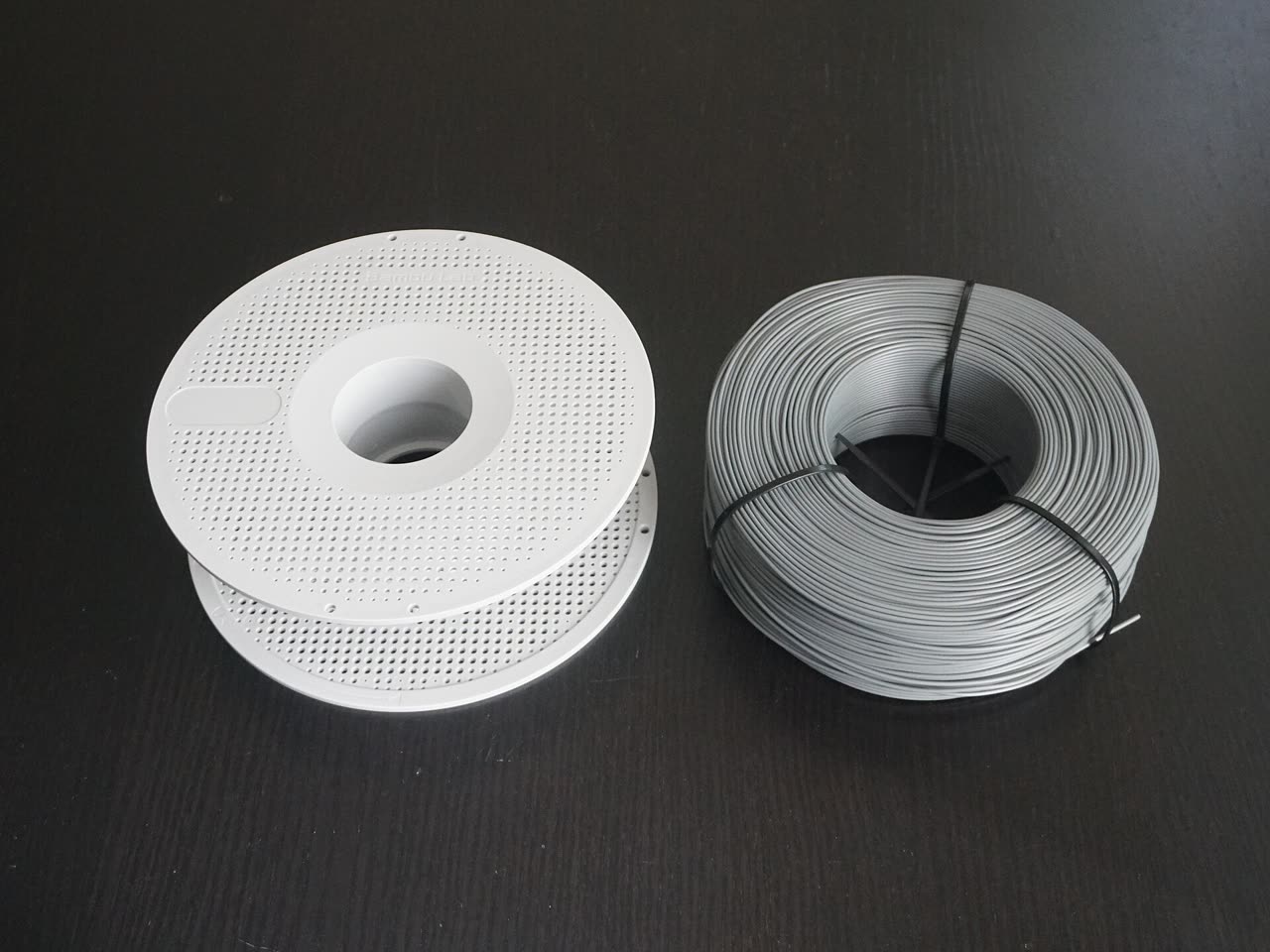
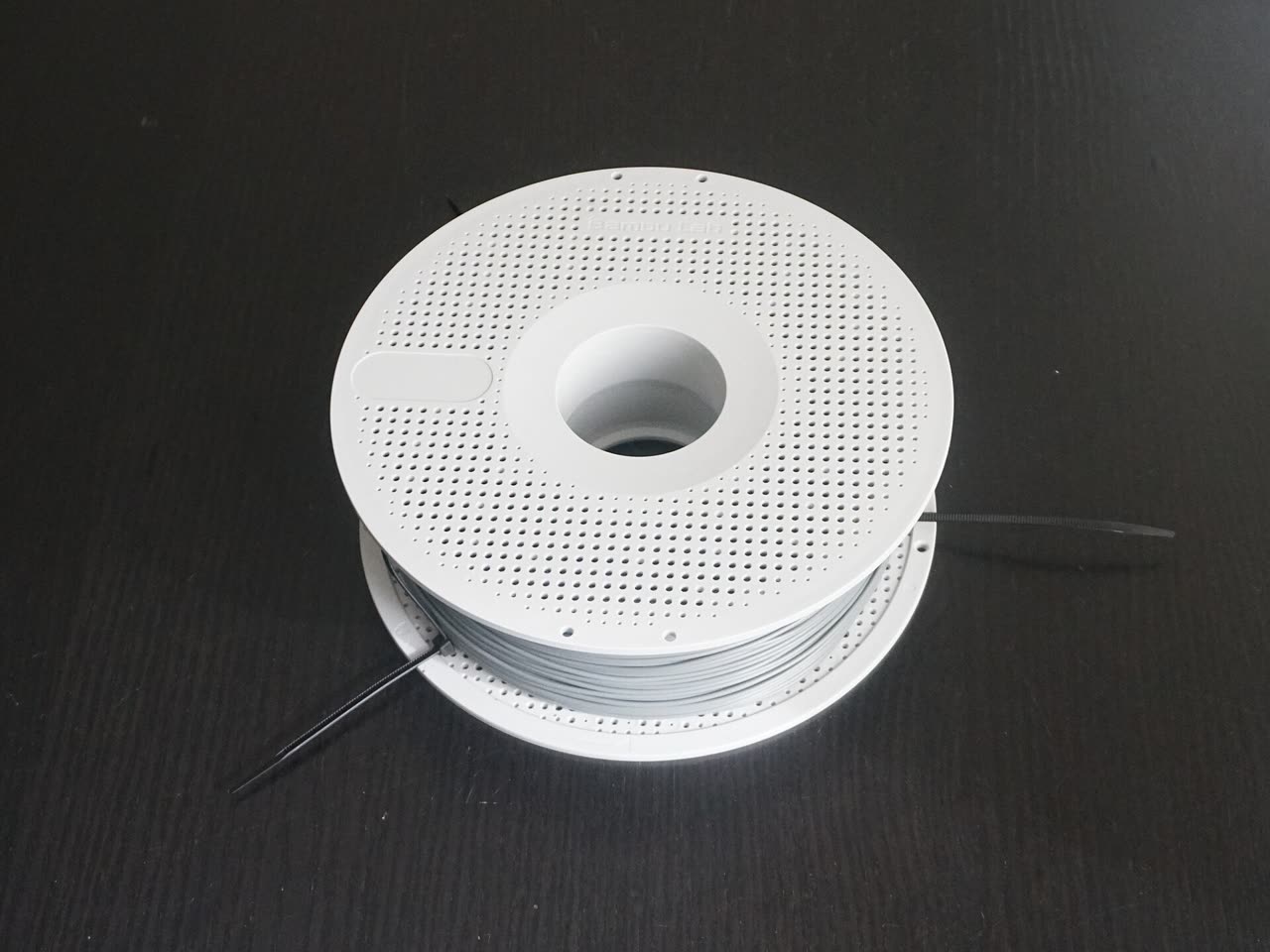
PLA is the learning filament. It prints cooler than ABS, it stays on the textured plate, and Bambu Studio already has a preset for each Bambu spool. The filament collection is the shelf. On 19 October 2026 that collection was in a bulk sale. These are the sale prices the page showed. They will move.
PLA family on the US filament collection, 19 October 2026
PLA Basic
Listed sale price. $12.47
Pick it when. The first extra spool. Everyday parts, and the preset you should learn on.
PLA Matte
Listed sale price. $12.47
Pick it when. You want less shine. Same job as Basic, different surface.
PLA Silk+
Listed sale price. $12.47
Pick it when. You want a shiny part. Slightly fussier than Basic. Not the first spool.
PLA Translucent
Listed sale price. $14.81
Pick it when. Light should pass through, as in a lamp or a window.
PLA Pure
Listed sale price. $13.25
Pick it when. You care about the certifications below. Still a learning spool, not a food dish.
PLA Tough+
Listed sale price. $16.37
Pick it when. Basic snapped in the hand and you want a tougher PLA before you leave PLA.
PLA Silk Multi-Color
Listed sale price. $24.99
Pick it when. The color changes along the spool. Decorative, not a first part.
| Spool | Listed sale price | Pick it when |
|---|---|---|
| PLA Basic | $12.47 | The first extra spool. Everyday parts, and the preset you should learn on. |
| PLA Matte | $12.47 | You want less shine. Same job as Basic, different surface. |
| PLA Silk+ | $12.47 | You want a shiny part. Slightly fussier than Basic. Not the first spool. |
| PLA Translucent | $14.81 | Light should pass through, as in a lamp or a window. |
| PLA Pure | $13.25 | You care about the certifications below. Still a learning spool, not a food dish. |
| PLA Tough+ | $16.37 | Basic snapped in the hand and you want a tougher PLA before you leave PLA. |
| PLA Silk Multi-Color | $24.99 | The color changes along the spool. Decorative, not a first part. |
The store says PLA Pure is certified to UL 2904 GREENGUARD for low emissions, to EN 71-3 for toy safety, and tested to EU 10/2011 for food-contact. That is about the filament. A printed cup is still full of layer lines. Do not put food or drink in it because a certificate named the pellets.
- Match the slicer preset to the words on the spool. PLA Basic and PLA Matte are not the same preset. RFID on a Bambu spool lets an AMS read the material. The preset still has to be the one you meant to print.
- Keep the spool dry. Wet PLA pops, strings, and clogs. The AMS 2 Pro dries. Without it, a sealed bag with desiccant is enough for a week of PLA. A dry box matters more once you leave PLA.
- Stay on PLA until the setup steps feel boring. PETG is the usual second material. ABS and ASA want the door closed, the carbon filter in place, and a grown-up who can ventilate the room.
Tips that prevent the usual failures
- The first layer is the print. If it is wrong, the next hour will not fix it. Stop and redo that layer.
- Do not touch the middle of the plate. Hold it by the edges. Wash with warm water and dish soap when parts stop sticking.
- Leave the door and the preset alone for PLA until a print fails for a reason you can name. Then change one setting.
- Empty the purge bin before it overflows back toward the printer.
- The end of a spool tangles. If the filament crosses under another loop, stop and unwind it. A tangle feels like a clog.
- The runout sensor pauses the job. Feed the new end when it asks. Do not force cold filament into a hot nozzle with a tool unless the wiki’s unclogging steps say to, and the nozzle is in the state those steps require.
- One model at a time for the first five prints. A full plate of different parts makes a failure harder to read.
- The camera is slow, half a frame a second. It is for checking that the print is still there, not for enjoying a video.
- Fiber-filled filament is a later project. It wears a stainless nozzle and dulls the cutter. The product FAQ says to upgrade the extruder and hotend first.
Maintenance
The schedule below is the P1 series maintenance page and the carbon-rod page. Follow those pages when you do the work. They have the photos and the warnings.
What to check, from the P1 wiki
Every month
What. X-axis carbon rods
Rule. Wipe with isopropyl alcohol. Never grease or oil them.
About every 5 kg of ABS or ASA, or if walls look ribbed
What. Carbon rods again
Rule. Those filaments leave a film. IPA, not lubricant.
Every three months
What. Three Z lead screws
Rule. Clean dust, then a thin coat of the grease from the box or Bambu lubricant grease. Wipe the excess.
Every 3–5 rolls of PLA, PETG, ABS, or PC
What. Filament cutter
Rule. Look at the blade. Replace it if it is dull.
Every 1–2 rolls of abrasive filament
What. Filament cutter
Rule. Fiber-filled plastic dulls it faster.
When prints get inconsistent
What. Extruder gears
Rule. The extruder cleaning guide is the procedure. Debris looks like a mystery clog.
| When | What | Rule |
|---|---|---|
| Every month | X-axis carbon rods | Wipe with isopropyl alcohol. Never grease or oil them. |
| About every 5 kg of ABS or ASA, or if walls look ribbed | Carbon rods again | Those filaments leave a film. IPA, not lubricant. |
| Every three months | Three Z lead screws | Clean dust, then a thin coat of the grease from the box or Bambu lubricant grease. Wipe the excess. |
| Every 3–5 rolls of PLA, PETG, ABS, or PC | Filament cutter | Look at the blade. Replace it if it is dull. |
| Every 1–2 rolls of abrasive filament | Filament cutter | Fiber-filled plastic dulls it faster. |
| When prints get inconsistent | Extruder gears | The extruder cleaning guide is the procedure. Debris looks like a mystery clog. |
Replacement parts
Buy parts from the US store when the maintenance page sends you there. These are the ones a first-year P1S actually uses. Hotend work waits until the printer is off and the nozzle is cool. The hotend replacement guide is the procedure, including the temperature it wants before you touch the heater.
- 0.4 mm stainless hotend. A spare is already in the box. Use it when the nozzle is worn or clogged past the unclogging pin.
- Nozzle wiping pad. The printer wipes the nozzle before a print. A torn pad leaves a blob on the first layer.
- Filament cutter blade. Dull blade, failed color change, or a click that does not cut.
- PTFE tube. Replace it when it is kinked, browned, or too short after a trim. A spare ships in the box.
- Textured PEI plate. Replace it when the texture is polished smooth and washing no longer makes PLA stick.
- Activated-carbon filter. It is for ABS-class fumes. Replace it on the schedule the spare-parts listing gives, and still ventilate the room.
- Silicone sock, if the one on your hotend tears. The hotend guide shows whether your revision uses one.
- Lubricant grease, when the tube from the box is empty. Same rule: lead screws only.
After you change a nozzle size, tell Bambu Studio. A 0.6 mm nozzle with a 0.4 mm profile under-extrudes or crashes the first layer. The printer cannot guess which nozzle you installed.
When a print fails
- Nothing sticks. Wash the plate. Check that the preset matches the plate and the spool. Confirm the foam under the bed is gone.
- Stringing and pops. Dry the spool. Then look at the preset. Do not raise the temperature first.
- A layer shifts or the walls ripple. Clean the carbon rods with IPA. Listen for a toolhead that does not slide freely.
- The extruder clicks. Unload, cut a fresh end, and check for a tangle. If it still clicks, the wiki’s extruder and hotend pages are next, with the printer cool.
- A color change jams. Check the cutter before you blame the model.
- The part is the wrong size. Measure it. Then look at Fit-check and at the scale in Studio. The printer is usually innocent.
Questions
Do I need the AMS to start?
No. The printer-only P1S, the included PLA, and the textured plate are enough. Add an AMS when you want more than one color. If you do buy a combo, the store’s note on 19 October 2026 preferred the AMS 2 Pro combo because it dries filament.
Is $579 the price?
It was the US store price for the P1S on 19 October 2026. Combos, sales, and shipping were separate. Check the product page the day you order.
Can a kid run it alone?
A kid can choose the model and watch. A grown-up stays for setup, filament changes, and any time the door opens onto a hot nozzle or a hot bed. The machine is a heater that moves.
Which PLA should we buy first?
PLA Basic, in a color you will not hate on a dozen small parts. Matte, silk, translucent, Pure, and Tough+ are choices for a second spool, not the spool that teaches the printer.
Where do the models come from?
Start with the models already on the printer. Then Bambu Lab’s MakerWorld page, picking a profile made for the P1S. The lamp, mouse, marble run, and engine on that page need a hardware kit and come after a few plain parts. Use Fit-check when the question is only “does this box fit?”